
Running a successful YouTube channel takes much more than uploading videos.
Creators need to research topics, analyze competitors, find keywords, write engaging scripts, create voiceovers, produce videos, design thumbnails, optimize metadata, publish content, and monitor performance.
Doing all of these tasks manually can take several hours for every video. For creators managing multiple channels, the workload can become even harder to maintain.
This is where AI tools for YouTube automation can make a real difference.
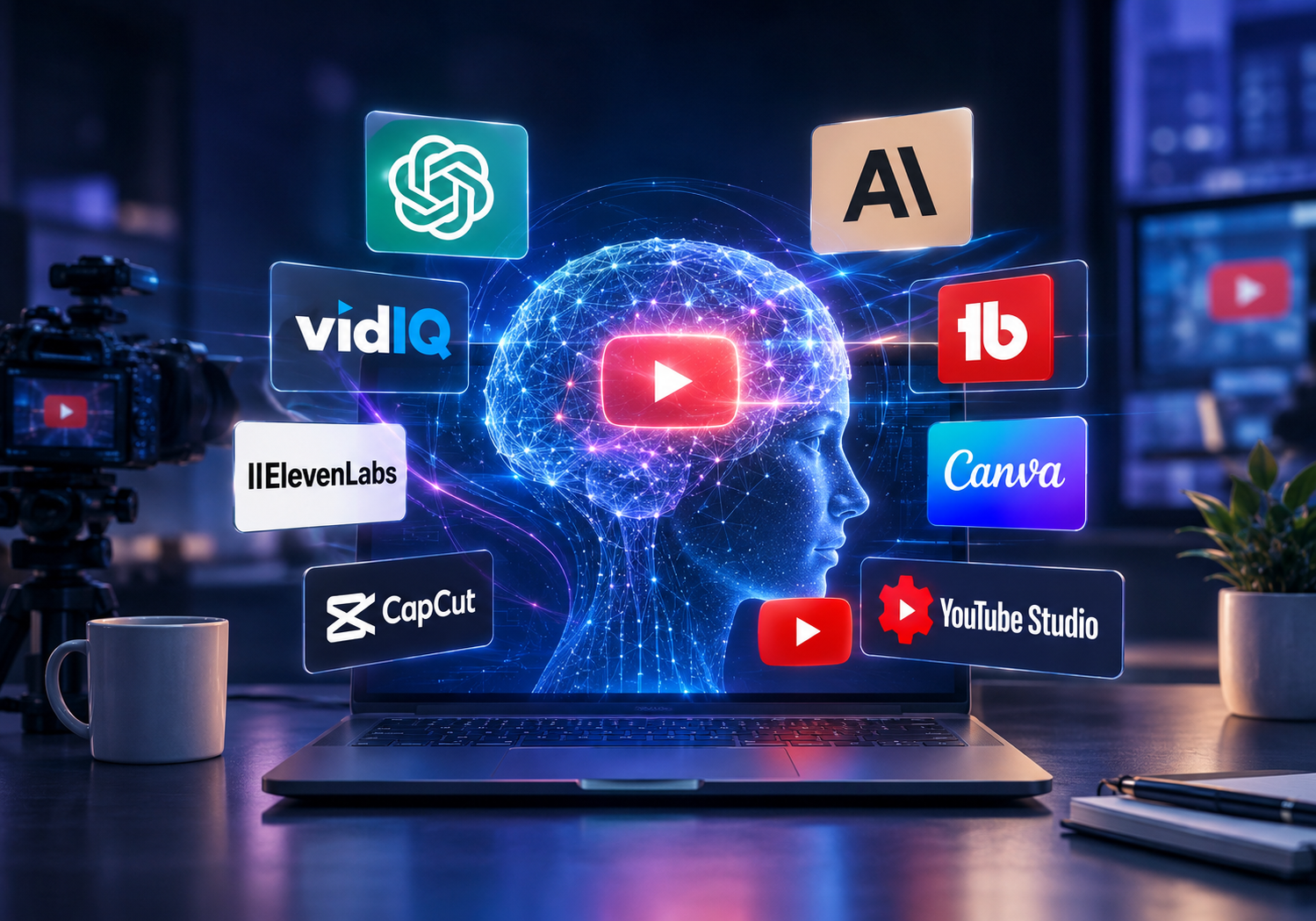
AI can help streamline almost every stage of the YouTube content workflow. You can use AI for brainstorming, scriptwriting, voiceovers, video creation, editing, thumbnails, SEO, analytics, content planning, and repurposing.
You also do not need an expensive collection of software to get started. Many platforms offer free AI tools for YouTube, while others have affordable plans that are suitable for beginners, freelancers, and small content teams.
In this guide, we have selected the 20 best AI tools for YouTube automation in 2026 and explained what each tool does, who it is best for, and how it can fit into a practical YouTube workflow.
The Best AI Tools for YouTube
1. ChatGPT
Best for: YouTube scripts, ideas, research, titles, descriptions, and content planning
ChatGPT is one of the most versatile AI tools for YouTube automation because it can support several stages of content production.
You can use it to brainstorm video ideas, research angles, create outlines, write scripts, generate hooks, improve titles, draft descriptions, and create calls to action.
For faceless YouTube channels, ChatGPT can also turn research notes into structured narration scripts.
Its biggest advantage is flexibility. You can create repeatable prompts for different video formats, including documentaries, list videos, tutorials, educational content, commentary, and Shorts.
However, AI-generated scripts should always be reviewed and fact-checked before publication.
Best feature: AI-assisted scriptwriting and content ideation.
Price: Free plan available, with paid plans offering additional features.
2. Claude
Best for: Long-form YouTube scripts and storytelling
Claude is another strong AI writing tool for creators who produce long-form YouTube content.
It can be particularly useful for documentaries, storytelling, educational videos, commentary, and other formats that require detailed narratives.
You can provide research material and ask Claude to organize it into a logical structure with an introduction, main sections, transitions, and conclusion.
It can also help rewrite sections, improve pacing, simplify complex information, and develop different storytelling approaches.
For channels where the quality of the script directly affects audience retention, Claude can be a valuable part of the production process.
Best feature: Long-form writing and storytelling.
Price: Free plan available, with paid options.
3. vidIQ

Best for: YouTube SEO, keyword research, and video ideas
vidIQ is specifically designed for YouTube creators and focuses heavily on discovery and channel growth.
You can use it for keyword research, video ideas, competitor analysis, optimization, titles, descriptions, and other YouTube-related tasks.
Keyword research is particularly useful before production. Instead of choosing a topic simply because it sounds interesting, creators can evaluate search demand, competition, trends, and related topics.
vidIQ also provides free YouTube tools for generating titles, descriptions, scripts, hooks, and video ideas.
This makes it a useful option for beginners who want to improve their YouTube SEO without immediately paying for an expensive tool.
Best feature: YouTube keyword research and content optimization.
Price: Free tools available, with paid plans for additional features.
4. TubeBuddy

Best for: YouTube SEO and channel management
TubeBuddy is a YouTube optimization platform designed to help creators improve their channels and publishing workflow.
It provides tools for keyword research, SEO, video optimization, thumbnail testing, productivity, and channel management.
For YouTube automation, TubeBuddy can help standardize the optimization process. Instead of creating metadata from scratch every time, you can develop a repeatable checklist for every upload.
It is especially useful for creators who are already publishing consistently and want to make their workflow more organized.
Best feature: YouTube SEO and channel optimization.
Price: Free options available, with paid plans.
5. ElevenLabs
Best for: AI voiceovers
Voiceover is one of the most important components of many faceless YouTube channels.
ElevenLabs can convert written scripts into natural-sounding AI narration that can be used for documentaries, explainers, stories, educational videos, and other content formats.
This means creators can produce narration without recording every script themselves.
For channels publishing several videos per week, AI voice generation can save considerable production time.
However, creators should review the platform’s current licensing and commercial-use terms before using generated voices in monetized content.
Best feature: Natural-sounding AI voice generation.
Price: Free tier available, with paid plans.
6. InVideo AI
Best for: Creating videos from text and prompts.
InVideo AI helps creators turn ideas, prompts, and scripts into videos.
Depending on the workflow, you can use AI to generate scenes, voiceovers, captions, and other video elements.
This makes it useful for creators who want to reduce the amount of manual work involved in assembling simple faceless videos.
It can be especially helpful for list videos, explainers, educational content, and social media videos.
Instead of starting with a blank editing timeline, you can use AI to create an initial version and then refine it manually.
Best feature: AI-assisted text-to-video creation.
Price: Free plan available, with paid plans.
7. Pictory

Best for: Turning scripts and existing content into videos
Pictory is an AI video creation platform designed to turn written content into videos.
It can be useful for educational videos, listicles, tutorials, marketing content, and content repurposing.
Creators can start with a script or existing article and use AI-assisted tools to build the initial video structure.
This can reduce the time spent searching for individual visual assets and assembling the first version of a video.
Best feature: Script-to-video and content repurposing.
Price: Free trial available, with paid plans.
8. Fliki

Best for: AI videos and voiceovers
Fliki combines AI video creation and voice generation in a single platform.
You can start with an idea or script and create a video using AI voices, stock media, captions, and other visual elements.
This makes Fliki useful for creators producing informational or faceless YouTube content without traditional filming.
It can also support short-form content, making it useful if your strategy includes both long-form videos and Shorts.
Best feature: Text-to-video with AI voiceovers.
Price: Free plan available with limitations.
9. HeyGen

Best for: AI avatars and presenter videos.
HeyGen focuses on AI-generated presenters and avatar-based videos.
Instead of recording yourself on camera, you can create a video featuring an AI presenter that delivers your script.
This can work well for educational channels, tutorials, software explainers, business content, and corporate videos.
AI avatars are particularly useful when a channel needs a presenter-style format but the creator does not want to appear on camera.
Best feature: AI avatar presentations.
Price: Free plan available, with paid plans offering additional features.
10. Synthesia

Best for: Professional AI presenter videos
Synthesia is another AI video platform focused on virtual presenters.
It allows creators and businesses to produce videos using AI avatars and generated voices without traditional cameras or filming equipment.
For YouTube, Synthesia can be useful for educational content, software tutorials, training videos, internal communication, and business-focused channels.
It is less focused on traditional faceless storytelling and more suitable for videos where a presenter is an important part of the format.
Best feature: Professional AI presenters.
Price: Paid plans available, with options to try the platform.
11. CapCut
Best for: Video editing and YouTube Shorts
CapCut is one of the most accessible video editing platforms for beginners and content creators.
It provides tools for cutting clips, adding captions, generating subtitles, improving audio, applying effects, and creating short-form videos.
For anyone searching for cheap or free AI tools for YouTube, CapCut is a practical choice.
It can handle many common editing tasks without requiring advanced video-editing knowledge.
Creators can also use it to turn long videos into Shorts, add captions, and improve pacing before publishing.
Best feature: Fast video editing and Shorts production.
Price: Free version available, with optional paid features.
12. Descript

Best for: Transcript-based video and audio editing.
Descript uses a transcript-based approach to video and audio editing.
Instead of relying entirely on a traditional timeline, creators can edit recordings by changing the transcript.
This makes it easier to remove unwanted sections, fix mistakes, clean up audio, edit podcasts, and create clips.
For YouTube automation teams, Descript can reduce the time required for editing and repurposing content.
It is particularly useful for channels that rely on interviews, podcasts, commentary, tutorials, or talking-head videos.
Best feature: Transcript-based editing.
Price: Free plan available, with paid plans.
13. OpusClip

Best for: Turning long videos into YouTube Shorts.
Creating long-form videos is only one part of a modern YouTube content strategy.
You can extend the value of each video by turning it into multiple Shorts.
OpusClip uses AI to identify potentially engaging sections of longer videos and transform them into short-form clips.
This saves creators from manually searching through an entire video to find moments suitable for Shorts.
For channels using a long-form-to-Shorts strategy, OpusClip can become an important part of the repurposing workflow.
Best feature: AI-powered video repurposing.
Price: Free plan available, with paid upgrades.
14. Canva

Best for: YouTube thumbnails and channel graphics.
Your video can be excellent, but a weak thumbnail can still reduce the number of people who click.
Canva makes it easy to create YouTube thumbnails, channel banners, social media graphics, and other visual assets.
Its AI-powered features can also help creators generate, edit, and enhance visual content.
For beginners, Canva is one of the most practical free AI tools for YouTube thumbnails because it does not require advanced graphic design skills.
A good thumbnail should communicate the video’s main idea quickly and avoid unnecessary visual clutter.
Best feature: Thumbnail and visual design.
Price: Free plan available, with additional features through Canva Pro.
15. YouTube Studio

Best for: Publishing, analytics, research, and channel management.
You do not need a third-party tool for every stage of YouTube automation.
YouTube Studio is the central dashboard for managing a YouTube channel. It allows creators to publish videos, review analytics, manage comments, monitor performance, and understand their audience.
YouTube also provides tools designed to help creators discover content opportunities.
The Inspiration tab can help generate ideas, titles, thumbnails, and outlines, while the Trends tab can provide insights into what audiences are searching for.
YouTube has also introduced AI-powered features such as Ask Studio for eligible creators, which can help with understanding channel performance, summarizing feedback, and brainstorming.
Because it is directly connected to your YouTube channel, YouTube Studio should be part of almost every creator’s workflow.
Best feature: Native YouTube analytics and channel management.
Price: Free.
16. Notion
Best for: YouTube content planning and workflows
YouTube automation becomes much easier when your production process follows a repeatable system.
Notion can act as a central workspace for managing video ideas, research, scripts, keywords, thumbnails, production tasks, and publishing schedules.
A simple content pipeline could look like:
Idea → Research → Script → Voiceover → Editing → Thumbnail → SEO → Upload → Published
You can also create separate views for videos that are in research, writing, editing, review, or publishing.
This is particularly useful when managing several channels or working with freelancers.
Best feature: Content planning and workflow management.
Price: Free plan available, with paid plans.
17. Airtable

Best for: Managing large YouTube content databases
Airtable is useful when your YouTube operation starts producing a large amount of content.
You can create databases for video ideas, keywords, scripts, production stages, thumbnails, publishing dates, writers, editors, and video URLs.
For agencies and YouTube automation teams, this provides a centralized view of the content pipeline.
For example, you could create a database where every video moves through stages such as:
Idea → Approved → Research → Script → Editing → Thumbnail → Scheduled → Published
This reduces the risk of losing track of content when several people are working on the same channel.
Best feature: Content database and workflow management.
Price: Free plan available, with paid plans.
18. Make

Best for: Automating repetitive YouTube workflows.
Make is a workflow automation platform that can connect different applications.
For example, you can build workflows that move information between spreadsheets, content databases, AI tools, project management platforms, and other applications.
Imagine adding a new video idea to a database and automatically creating related production tasks for your team.
These types of workflows can save time once your channel produces content at scale.
Make is therefore more useful for creators and teams who have already established a consistent production process.
Best feature: Multi-step workflow automation.
Price: Free plan available, with paid plans for larger workflows.
19. Buffer

Best for: Promoting YouTube videos on social media.
Publishing a YouTube video does not have to be the end of the content lifecycle.
You can repurpose each video into social media posts and distribute those posts across supported platforms.
Buffer helps creators schedule and manage social media content.
For example, one YouTube video could become a LinkedIn post, X post, Facebook post, quote graphic, or promotional clip.
This creates a broader content distribution strategy without requiring you to produce completely new content for every platform.
Best feature: Social media scheduling.
Price: Free plan available, with paid plans.
20. Submagic
Best for: Captions and short-form YouTube content.
Submagic is primarily designed for short-form video creators.
It can help generate captions and add visual elements to make short videos more engaging and easier to follow.
For creators turning long-form YouTube content into Shorts, Submagic can complement tools such as OpusClip and CapCut.
It is especially useful when captions are an important part of the viewing experience.
Best feature: AI captions and Shorts editing.
Price: Free options or trials may be available, with paid plans.
How to Automate a YouTube Channel With AI
AI works best when it is integrated into a repeatable content-production system.
A simple faceless YouTube workflow can look like this.
Step 1: Find Video Ideas
Start by identifying topics your target audience actually wants to watch.
Use YouTube Studio, vidIQ, competitor research, Google Trends, and relevant communities to identify potential topics.
Do not choose topics only because they are popular. Consider search demand, competition, audience interest, your expertise, and the amount of original value you can add.
Step 2: Research the Topic
Collect reliable information before writing the script.
AI can help organize research, but you should verify important facts using trustworthy sources.
This is particularly important for news, finance, health, technology, and educational content.
Step 3: Write the Script
Use ChatGPT or Claude to create your first draft.
Start with a strong hook, organize the information logically, and maintain a clear narrative throughout the video.
Then add your own examples, opinions, analysis, storytelling, and fact-checking.
The objective should be an original and useful video, not simply AI-generated text.
Step 4: Generate the Voiceover
Once the script is finalized, use ElevenLabs or another suitable voice-generation platform to create the narration.
Listen to the final audio before editing the video. Check pronunciation, pacing, pauses, and unnatural wording.
Step 5: Create the Video
Use InVideo AI, Pictory, Fliki, or a traditional editor to assemble the video.
AI can help create the first version, but you should review every scene.
Avoid using random stock footage simply to fill empty space. Visuals should support the information being presented.
Step 6: Edit the Video
Use CapCut or Descript to improve the final video.
Remove unnecessary pauses, fix mistakes, improve audio, add captions, and make sure the pacing matches the content.
This human review stage can make the difference between a generic AI video and a polished piece of content.
Step 7: Create the Thumbnail
Use Canva to design the thumbnail.
Focus on one clear idea and make sure the thumbnail is easy to understand at a small size.
Avoid adding too much text or too many competing elements.
Step 8: Optimize the Video
Use YouTube Studio, vidIQ, or TubeBuddy to improve your title, description, keywords, and overall packaging.
Remember that YouTube SEO is only one part of discoverability.
The title and thumbnail need to create enough interest to earn clicks, while the video itself needs to deliver enough value to keep viewers watching.
Step 9: Publish and Analyze
Publish your video through YouTube Studio and monitor its performance.
Important metrics include:
- Impressions
- Click-through rate
- Watch time
- Audience retention
- Traffic sources
- Returning viewers
Do not focus on one metric alone.
Look for patterns across multiple videos and use those insights to improve your next upload.
Step 10: Repurpose the Content
One long-form video can become several additional pieces of content.
Use OpusClip, Submagic, or CapCut to turn important sections into Shorts.
You can also transform the video’s main ideas into social media posts, quotes, carousels, or discussion posts.
This allows one research project to support an entire content distribution strategy.
Does Using AI Affect YouTube Monetization?
Using AI does not automatically make a channel ineligible for monetization.
The more important question is what you actually publish.
If AI helps you brainstorm an idea, write a draft, generate narration, or edit a video, you still need to make sure the finished content provides genuine value and follows YouTube’s policies.
Creators should also understand YouTube’s rules around altered or synthetic content.
Certain realistic AI-generated or meaningfully altered content may need to be disclosed, particularly when it could make viewers believe that a real person did or said something that never happened.
Before publishing AI-generated content, check YouTube’s latest policies and make sure your workflow complies with its monetization, copyright, privacy, and disclosure requirements.